> ## Documentation Index
> Fetch the complete documentation index at: https://docs.qxlabs.com/llms.txt
> Use this file to discover all available pages before exploring further.
# Custom code trigger
The ready-made [triggers](/flows/nodes/triggers) cover the most common apps. The **Custom Code Trigger** covers everything else, letting a flow start from events in any of the 1,000+ apps in the catalog.
The AI builder can handle this node for you. Describe what you want out of the event in **Chat** mode, and it writes the code for you. See [Build with AI](/flows/build-with-ai).
## Choosing the event
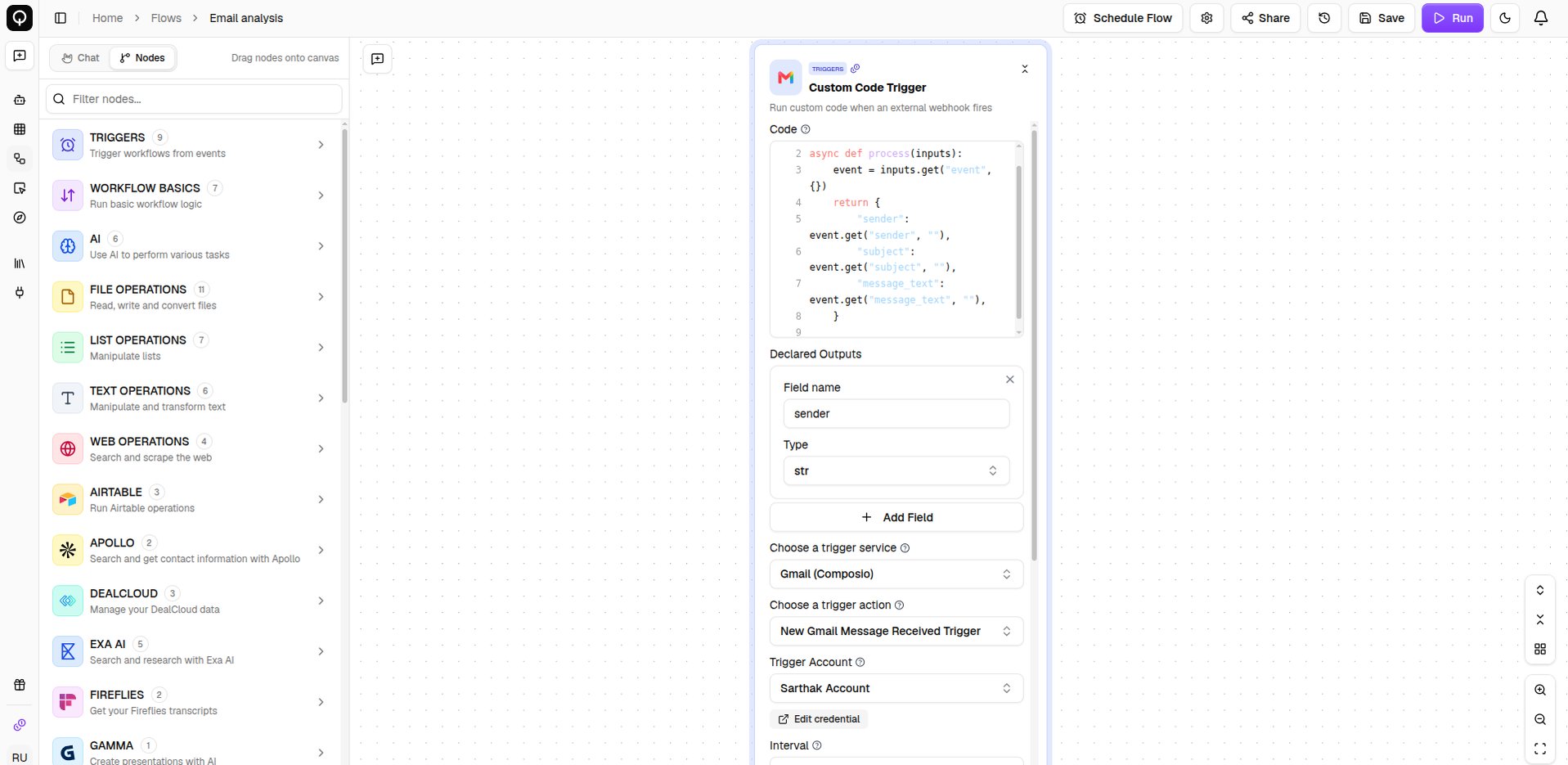
Three fields decide what your flow listens for. **Choose a trigger service** picks the app, **Choose a trigger action** picks which of that app's events you want, and **Trigger Account** picks which of your connected accounts to watch. Depending on the event, a few more fields appear for narrowing it down.
 ## Handling the event
When the event fires, its full details are handed to the **Code** field as `event`. The code pulls out the parts your flow needs and returns them, and each row you add under **Declared Outputs** becomes a value the rest of the flow can use.
**Pip Packages** and **Timeout (seconds)** work the same as on the [Custom Code](/flows/nodes/custom-code) node, for when you need extra libraries or more time.
Like any trigger, this one only listens while the flow's status is **Active**, and a flow can have just one trigger. See [Schedules and triggers](/flows/schedules-and-triggers).
## Handling the event
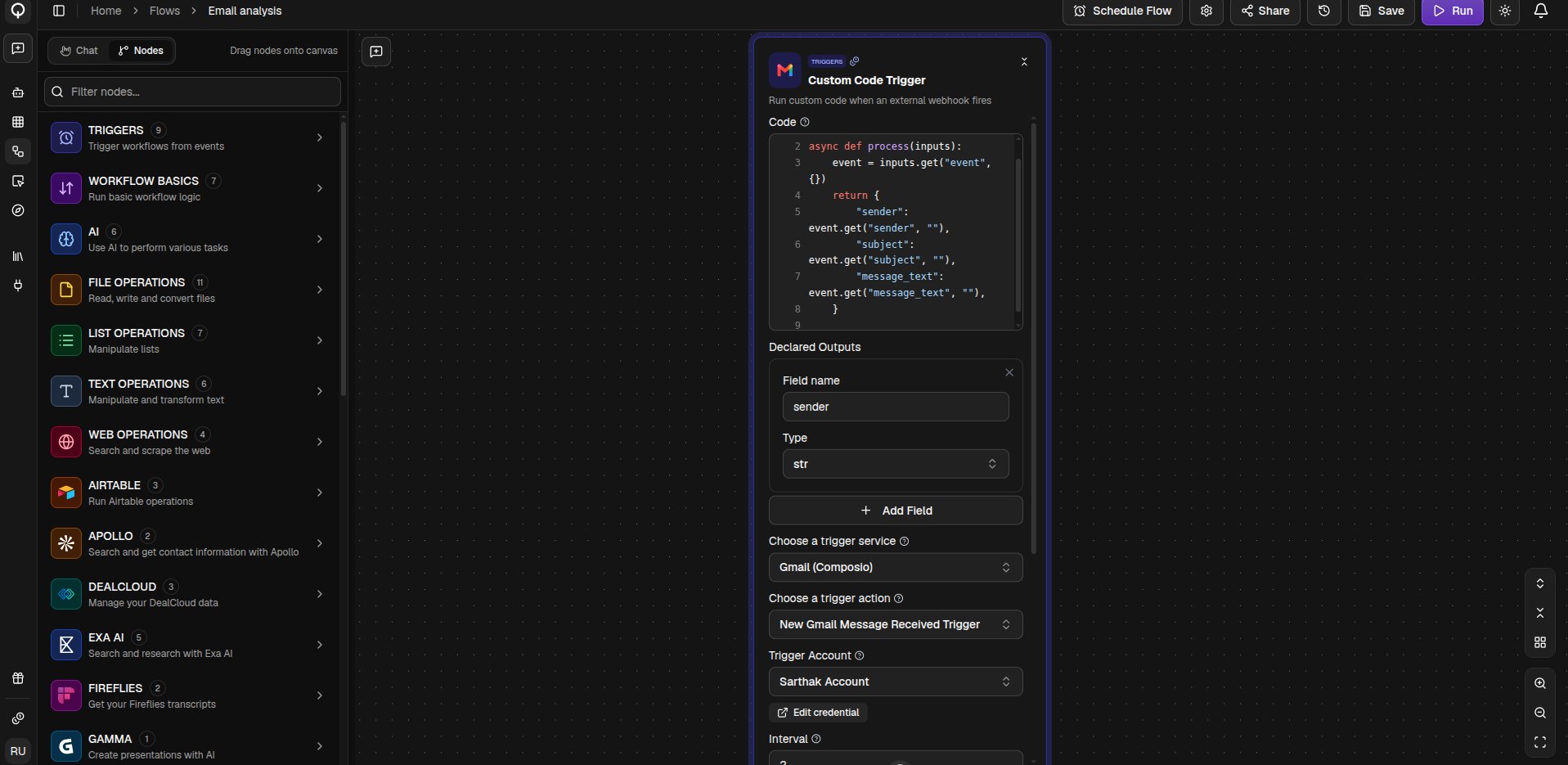
When the event fires, its full details are handed to the **Code** field as `event`. The code pulls out the parts your flow needs and returns them, and each row you add under **Declared Outputs** becomes a value the rest of the flow can use.
**Pip Packages** and **Timeout (seconds)** work the same as on the [Custom Code](/flows/nodes/custom-code) node, for when you need extra libraries or more time.
Like any trigger, this one only listens while the flow's status is **Active**, and a flow can have just one trigger. See [Schedules and triggers](/flows/schedules-and-triggers).