

1. Create your account
Sign up at app.qxlabs.com with your email, or with Google or Microsoft. If a teammate invited you, use the link in your email to land in their organization. A short setup wizard takes care of your company profile, preferences, and first app connections.2. Start with a chat
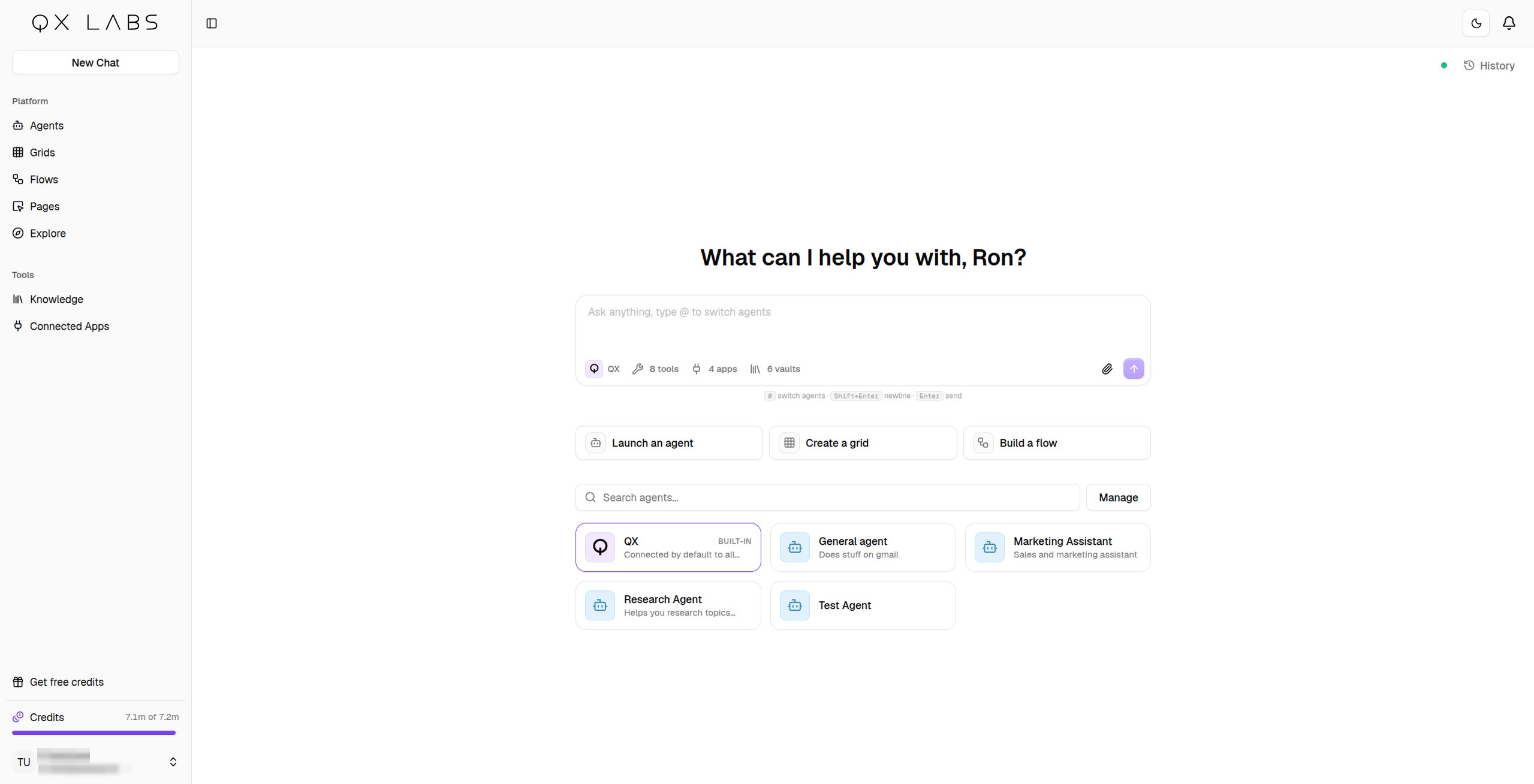
The home screen is a chat with QX, the built-in agent connected to all available tools and knowledge. Ask it something real:Research the top 5 competitors of acme.com and summarize their pricing.Its steps appear in the conversation as it works, and you can open any of them to see what it did. When the answer comes from the web or your documents, sources are cited alongside it.
3. Connect your apps
Go to Connected Apps in the sidebar and connect what your team uses, Gmail, Salesforce, Notion, Slack, and plenty more. Connect once and agents, flows, and grids can all use them. See Connected apps.4. Build a flow
Open Flows and create a new flow. It starts on the Chat tab, so describe the automation you want:Whenever I get an email from a new lead, research the company on the web and post a summary to our #leads Slack channel.The builder adds the nodes and wires them up on the canvas in front of you, and you can switch to the Nodes tab any time to fine-tune by hand. See Build with AI.
5. Build a grid
Open Grids and create a new grid. The Chat tab is already open, so describe the dataset you want, or import a CSV and add enrichment columns yourself:Find 50 fintech startups in Europe with their websites, headcount, and latest funding round.Columns and rows appear as it works, and it checks a row or two with you before running the rest. See Build with AI.
6. Build an agent
Open Agents and create a new agent, then describe the job in the editor’s Chat sidebar:An agent that triages my inbox, flags anything urgent, and drafts replies for me to review.The builder writes the instructions, picks the model, and connects just the app tools the job needs, asking you the questions that matter along the way. See Build with AI.
You can do all of this without leaving chat, on the web or from Slack, WhatsApp, Teams, and email. Ask the agent for a flow, a grid, or another agent and it builds the real thing, then hands you a link to open it.
Next steps
Stay in control
Every tool, account, and vault an agent holds is scoped, and you decide which actions need your approval.
Add knowledge
Ground your agents in your company’s documents.
Reach agents anywhere
Chat with agents over Slack, Teams, WhatsApp, and email.
Schedule recurring work
Have an agent run a task for you on a schedule.