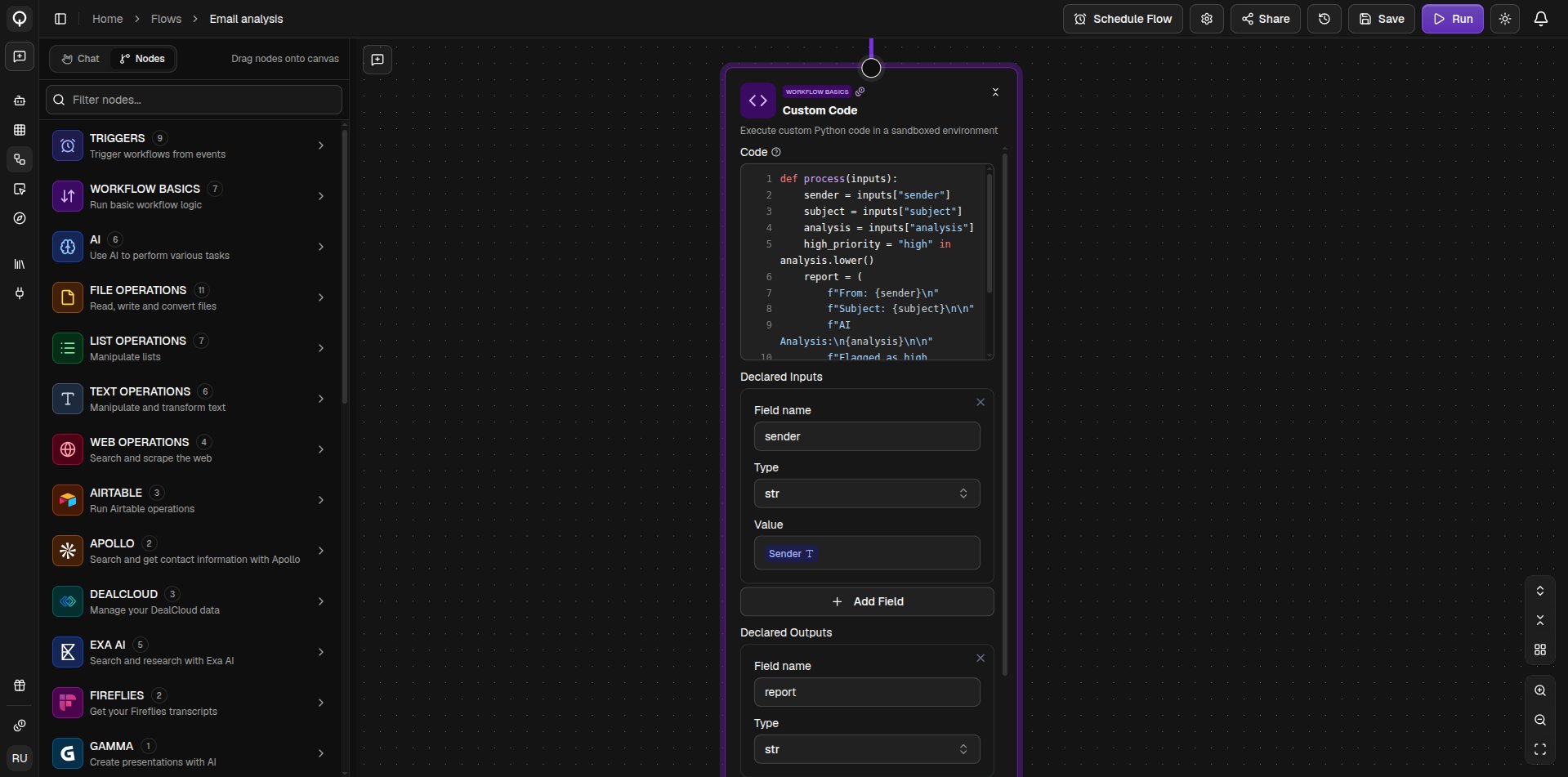
The Custom Code node runs Python inside a flow, for the steps no built-in node covers. It sits in the Workflow Basics category.
The AI builder can handle this node for you. Describe what the step should do in Chat mode, and it writes the code, sets up its inputs and outputs, and tests it before adding it to your flow. See Build with AI.

How it works

The code lives in the Code field, written as a process function that receives the node’s inputs and returns its outputs. The ports on the node come from what is declared. Each row under Declared Inputs becomes a field you can wire an earlier node into, and each row under Declared Outputs becomes a value later nodes can use. Every row has a name and a type.
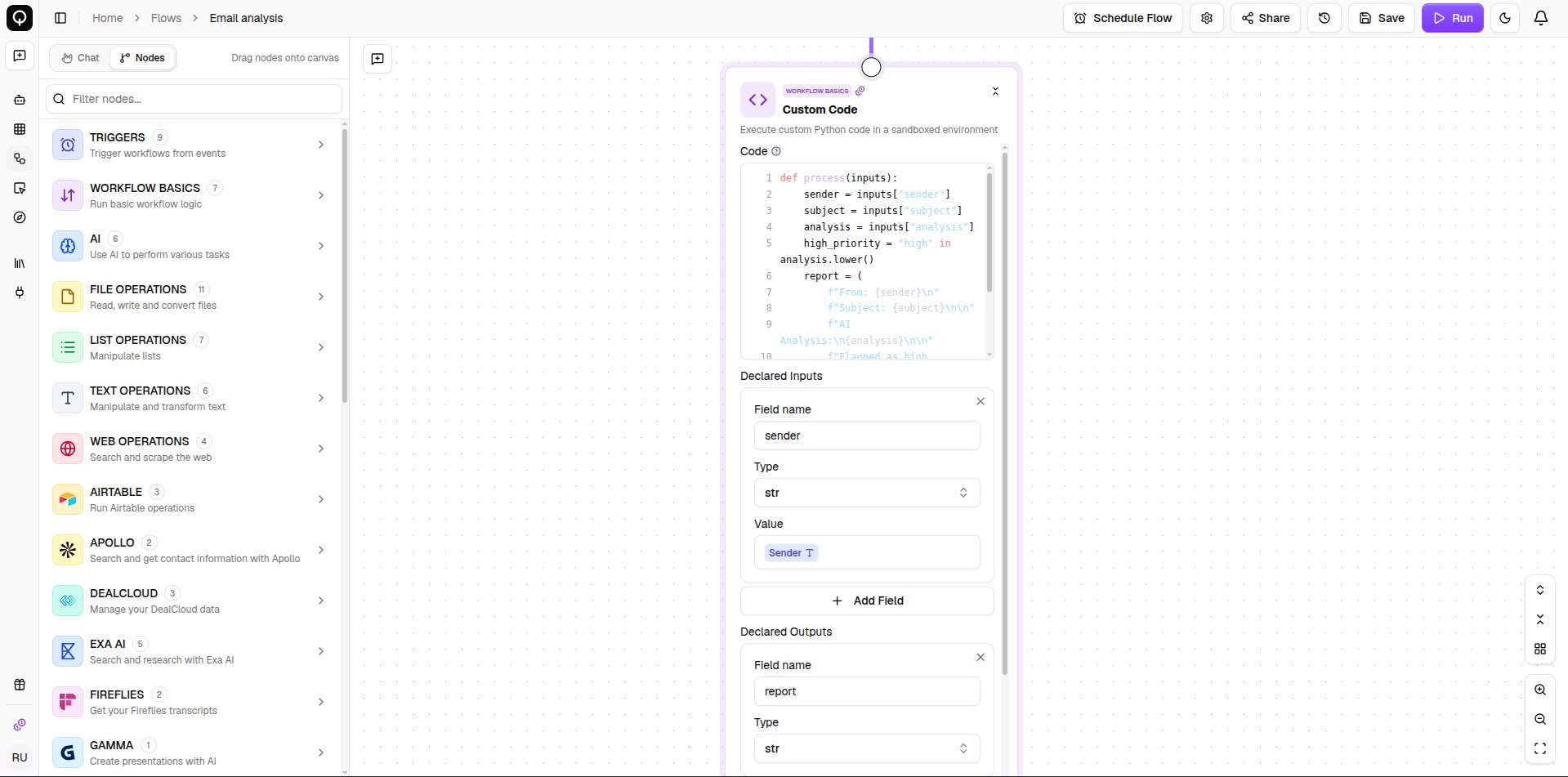
A Custom Code node showing the code editor with declared inputs and outputs
Two more settings matter when the code does something heavier. Pip Packages installs any Python libraries it needs, and Timeout (seconds) caps how long it may run before the flow gives up on it. If you do edit the code by hand, it must return a value for every declared output, and nothing is kept between runs, so treat each run as a fresh start.